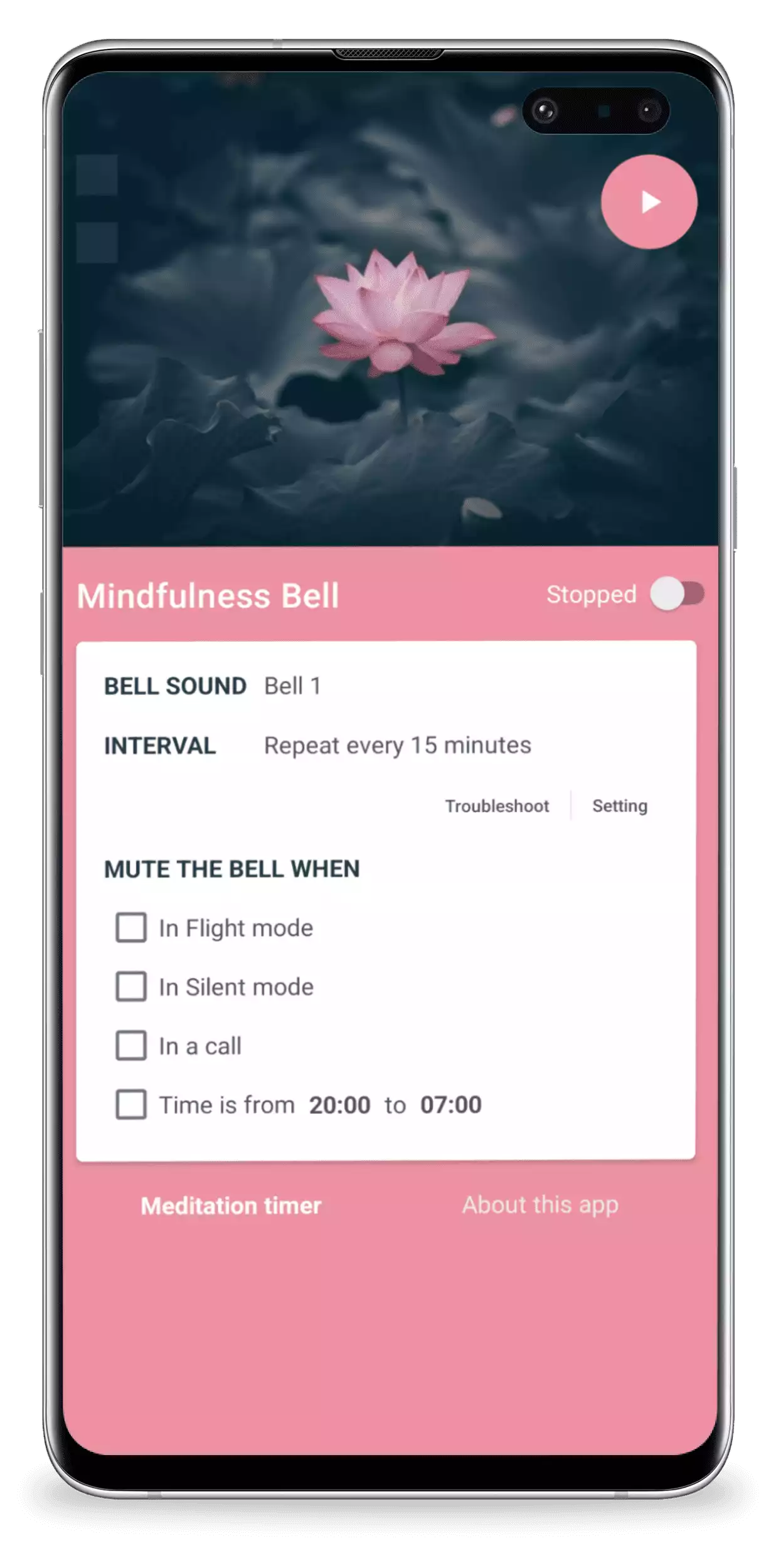
Who Provides the App
Mindfulness Bell is provided by Hoàng Lạng as an individual developer.
Contact email: support@langhoangal.dev
Address: To 2, To dan pho 3, Thi tran A Luoi, Huyen A Luoi, Hue, Thua Thien Hue 49506, Vietnam.
Contact email: support@langhoangal.dev
Address: To 2, To dan pho 3, Thi tran A Luoi, Huyen A Luoi, Hue, Thua Thien Hue 49506, Vietnam.
Summary
Mindfulness Bell Pro does not show ads and does not use Google AdMob or Google UMP. The app does not request
the Android advertising ID.
The app uses local storage for bells, presets, affirmations, vibration patterns, app state, and settings. It also uses third-party services for Google sign-in, optional cloud backup/restore, analytics, crash reporting, remote configuration, push messaging infrastructure, Google Play billing, and RevenueCat premium access. These services may collect or process data such as account identifiers, device/app identifiers, app usage events, diagnostics, approximate location inferred from IP address, cloud backup files, trial records, and purchase history.
The app uses local storage for bells, presets, affirmations, vibration patterns, app state, and settings. It also uses third-party services for Google sign-in, optional cloud backup/restore, analytics, crash reporting, remote configuration, push messaging infrastructure, Google Play billing, and RevenueCat premium access. These services may collect or process data such as account identifiers, device/app identifiers, app usage events, diagnostics, approximate location inferred from IP address, cloud backup files, trial records, and purchase history.
Data Stored Locally on Your Device
The app stores settings on your device so that the bell and reminder features work correctly. This may
include:
- Bells, custom bell names, custom bell file paths, and related sound metadata;
- Presets, schedules, intervals, random interval settings, active time ranges, active preset state, and next/last chime state;
- Affirmations, including affirmation names and text that you create;
- Vibration patterns, vibration intensities, repetitions, and related custom pattern settings;
- TTS settings, including optional text-to-speech messages, engine, language, voice, speech rate, pitch, volume, and playback order;
- Mute rules for silent mode, vibrate mode, Do Not Disturb mode, airplane mode, phone calls, recording, and active time ranges;
- Language, theme, time format, notification preferences, widget/app state, battery optimization reminder state, and trial/premium status cache.
Data Collected or Processed Through Third-Party Services
The app uses third-party SDKs and services. Depending on your device, region, account choices, and how you
use the app, these providers may process the following categories of data:
- Google account information if you choose to sign in, such as Firebase user ID, email address, and display name as provided by Google/Firebase Authentication;
- App identifiers, device identifiers, Firebase app instance identifiers, Firebase installation IDs, Firebase Cloud Messaging registration token, or RevenueCat anonymous App User ID;
- Approximate location inferred from IP address, country or region, language, device model, manufacturer, operating system version, app version, and network-related information;
- App usage events, screen views, feature interactions, and general interaction events used to understand and improve the app;
- Crash reports, diagnostics, performance and error information, including some app state useful for troubleshooting;
- Purchase history, subscription status, lifetime access status, entitlement status, management URL, and related transaction information for Google Play Billing and RevenueCat;
- Cloud backup files and metadata if you choose to use cloud backup/restore;
- Trial records, including a hashed device key and timestamps used to manage trial access.
No Advertising
Mindfulness Bell Pro does not display ads, does not use ad mediation, and does not use Google AdMob or the
Google User Messaging Platform for advertising consent. The app removes the Android advertising ID permission
from its manifest.
Accounts, Sign-In, and Cloud Backup
The app can use Firebase Authentication and Android Credential Manager for Google sign-in. Sign-in may be
required for cloud backup and restore features. If you sign in with Google, Firebase may process your Google
account identifier, email address, display name, authentication tokens, and related sign-in data.
If you use cloud backup, the app may upload backup files to Firebase Storage under your Firebase user ID. Backups may include app database content such as bells, custom bell files, presets, affirmations, vibration patterns, app status, and related metadata. Backup metadata may include creation time, app version, database version, item counts, file counts, file size, and checksum. The app keeps a limited number of remote backups and may delete older backups automatically.
The app also uses Firebase Firestore to store trial access records. Trial records use a hashed device key derived from the Android ID with an app-specific salt, along with first-opened and updated timestamps. This is used to manage trial access and reduce trial abuse.
If you use cloud backup, the app may upload backup files to Firebase Storage under your Firebase user ID. Backups may include app database content such as bells, custom bell files, presets, affirmations, vibration patterns, app status, and related metadata. Backup metadata may include creation time, app version, database version, item counts, file counts, file size, and checksum. The app keeps a limited number of remote backups and may delete older backups automatically.
The app also uses Firebase Firestore to store trial access records. Trial records use a hashed device key derived from the Android ID with an app-specific salt, along with first-opened and updated timestamps. This is used to manage trial access and reduce trial abuse.
Analytics, Crash Reporting, and Remote Configuration
The app uses Google Analytics for Firebase to understand app usage and improve the app. Analytics may record
events such as screen views, app actions, support/feedback actions, FAQ opens, premium/trial interactions,
backup/restore interactions, and settings or feature interactions. The app may set Firebase Analytics user
ID or user properties when needed to associate app diagnostics with signed-in or app-specific identifiers.
The app uses Firebase Crashlytics to collect crash reports and diagnostic information. Crashlytics may include device information, app version, operating system version, timestamps, stack traces, error details, and limited app state or custom diagnostic keys. The app may set Crashlytics user ID or diagnostic keys to help troubleshoot crashes, but I do not intentionally attach your phone number to Crashlytics reports.
The app uses Firebase Remote Config to download configuration values, such as app update and behavior settings. The app includes Firebase Cloud Messaging infrastructure; if messaging is used, FCM may process registration tokens and notification delivery data.
The app uses Firebase Crashlytics to collect crash reports and diagnostic information. Crashlytics may include device information, app version, operating system version, timestamps, stack traces, error details, and limited app state or custom diagnostic keys. The app may set Crashlytics user ID or diagnostic keys to help troubleshoot crashes, but I do not intentionally attach your phone number to Crashlytics reports.
The app uses Firebase Remote Config to download configuration values, such as app update and behavior settings. The app includes Firebase Cloud Messaging infrastructure; if messaging is used, FCM may process registration tokens and notification delivery data.
Purchases and Premium Access
The app offers premium access through Google Play Billing and RevenueCat. Premium may include an annual plan
or lifetime access. Google Play processes payment transactions. I do not receive your full payment card
details.
RevenueCat may create an anonymous App User ID and process purchase history, transaction information, entitlement status, product identifiers, country or region, device/app information, and related diagnostics to validate purchases and keep your premium access status available in the app.
RevenueCat may create an anonymous App User ID and process purchase history, transaction information, entitlement status, product identifiers, country or region, device/app information, and related diagnostics to validate purchases and keep your premium access status available in the app.
Support Emails and Diagnostic Attachments
If you contact me for support, I may receive your email address and any information you choose to include.
The app may prepare a support email that includes diagnostic details such as platform, RevenueCat App User
ID, background optimization status, notification status, exact alarm status, Android version, app version,
device model, and manufacturer.
When you send feedback from the app, the email may also include troubleshooting attachments such as recent local app logs and a database snapshot. The database snapshot may contain bells, custom bell paths, affirmations, vibration patterns, presets, schedules, mute rules, TTS messages, app status, premium/trial state, and related settings. These attachments are used only to understand and troubleshoot your request.
When you send feedback from the app, the email may also include troubleshooting attachments such as recent local app logs and a database snapshot. The database snapshot may contain bells, custom bell paths, affirmations, vibration patterns, presets, schedules, mute rules, TTS messages, app status, premium/trial state, and related settings. These attachments are used only to understand and troubleshoot your request.
Permissions
The app requests Android permissions needed for its features, including internet access, notifications,
vibration, wake locks, exact alarms, foreground service/media playback, billing, restart after device boot,
modify audio settings, and battery optimization handling. These permissions are used to run bells/reminders
reliably, play audio, show local notifications, process optional purchases, support cloud backup/restore,
and support third-party services. The app does not request camera, microphone, contacts, precise location,
or advertising ID permission.
Third-Party Service Providers
The app uses the following third-party services. Please review their privacy policies for more information:
How Data Is Used
Data is used to:
- Provide app features such as bell scheduling, notifications, sounds, presets, affirmations, vibration patterns, widgets, settings, backup/restore, and purchases;
- Authenticate users who choose to sign in and provide cloud backup/restore;
- Manage trial access, premium access, subscriptions, and lifetime purchases;
- Understand app usage and improve app quality;
- Detect, diagnose, and fix crashes or technical problems;
- Respond to support requests;
- Comply with legal obligations, enforce policies, prevent abuse, and protect the app and users.
Sharing and Disclosure
I do not sell or rent your personal information. Data may be processed by the third-party service providers
listed in this policy to provide authentication, cloud backup/restore, analytics, crash reporting, remote
configuration, cloud messaging, purchases, and related app services. If you send a support email, your email
provider and my email provider will process that message. I may also disclose information if required by
law, to protect rights and safety, or to investigate abuse or security issues.
Data Retention
Local app settings remain on your device until you change them, clear app data, or uninstall the app. Local
troubleshooting logs are kept for up to 3 days on your device unless cleared earlier.
Cloud backups remain in Firebase Storage until you delete them, replace them, the app prunes older backups, or the storage/project retention rules remove them. Trial records, account data, purchase data, and diagnostics processed by Google, Firebase, RevenueCat, and Google Play may be retained according to those providers’ own policies and retention practices.
If you contact me for support, I may retain your email and the information you provide only for as long as necessary to respond to your request, troubleshoot issues, comply with legal obligations, resolve disputes, prevent abuse, or improve the app.
Cloud backups remain in Firebase Storage until you delete them, replace them, the app prunes older backups, or the storage/project retention rules remove them. Trial records, account data, purchase data, and diagnostics processed by Google, Firebase, RevenueCat, and Google Play may be retained according to those providers’ own policies and retention practices.
If you contact me for support, I may retain your email and the information you provide only for as long as necessary to respond to your request, troubleshoot issues, comply with legal obligations, resolve disputes, prevent abuse, or improve the app.
Data Deletion
You can delete locally stored app data at any time by clearing the app data in Android settings or by
uninstalling the app.
If you use cloud backup, you can delete remote backups from the app where the backup management feature is available. Signing out stops the app from using your signed-in account on that device, but it does not automatically delete existing cloud backups, purchase records, Firebase Authentication records, or support emails.
If you want to request deletion of data you provided directly to me, such as support emails or diagnostic attachments sent during support requests, or if you need help deleting account-linked cloud backup data, contact me at: support@langhoangal.dev. Please include the app name and any relevant information that can help me locate your request. I will process deletion requests within 30 days unless I am required to retain certain information for legal, security, fraud prevention, dispute resolution, or accounting purposes.
If you use cloud backup, you can delete remote backups from the app where the backup management feature is available. Signing out stops the app from using your signed-in account on that device, but it does not automatically delete existing cloud backups, purchase records, Firebase Authentication records, or support emails.
If you want to request deletion of data you provided directly to me, such as support emails or diagnostic attachments sent during support requests, or if you need help deleting account-linked cloud backup data, contact me at: support@langhoangal.dev. Please include the app name and any relevant information that can help me locate your request. I will process deletion requests within 30 days unless I am required to retain certain information for legal, security, fraud prevention, dispute resolution, or accounting purposes.
International Processing
The app is available globally on Google Play. Third-party providers may process data on servers located in
different countries from where you live. By using the app, you understand that data may be processed outside
your country or region, subject to applicable law and the providers’ privacy practices.
Website Data
This Privacy Policy page is hosted on a website that may load third-party web services such as Google Tag
Manager, Google Fonts, and Font Awesome. These web services may process browser or device information such
as IP address, user agent, referrer, and usage information according to their own policies. This website data
is separate from data handled by the Android app.
Security
I use reasonable technical and organizational measures to protect information handled by the app and support
process. However, no method of transmission over the internet or electronic storage is completely secure, so
I cannot guarantee absolute security.
Links to Other Sites
The app may contain links to other sites. If you click on a third-party link, you will be directed to
that site.
Note that these external sites are not operated by me. Therefore, I strongly advise you to review the
Privacy Policy of
these websites. I have no control over and assume no responsibility for the content, privacy policies, or
practices of
any third-party sites or services.
Children’s Privacy
Mindfulness Bell Pro is intended for adults and is not directed to children. The app is not declared on Google
Play as an app made for children. I do not knowingly collect personal information from children. If you
believe a child has provided personal information to me, please contact me so I can take appropriate action.
Changes to This Privacy Policy
I may update this Privacy Policy from time to time. I will post the updated version on this page and update
the effective date below.
Effective date: 2026-06-25
Effective date: 2026-06-25
Contact Me
If you have questions, suggestions, or deletion requests related to this Privacy Policy, contact me at
support@langhoangal.dev.